
A keyword research tool performs only one task – it tells you what people are entering on Google before writing a single line of content. Imagine you’re trying to open a little stall selling snacks in your community, you would go around first to find out from people what snacks they would like to eat, not guessing about that.
If you have just started your journey in SEO, you must have already been offered dozens of different tools such as Ahrefs, Semrush, Ubersuggest and Google Keyword Planner, and you must be confused about which tool you really need and if the free ones are worth trying. This guide will help you compare the most popular keyword research tools, decide whether to go free or paid, and choose the right one for your needs.
It’s the most obvious next step after mastering the fundamentals of SEO. After understanding the importance of keywords, the next important question is: Which keyword research tool will I use?
If you are a one-man band consultant or a small business owner who handles all by yourself, it becomes even more crucial. A large company can afford to give out expensive tools to its clients, but you need to figure out whether or not a certain part of a paid service is worth buying when you can get something similar for free.
What Is a Keyword Research Tool, Really?
A keyword research tool is an application that provides insights into three key areas. The first one is how many searches there are per month for a particular word or phrase, also known as search volume. The second thing is how difficult it is to get a good rank for that particular phrase. Also, competition or difficulty. The third thing is related keywords or phrases that can be used.
The keyword research tool can be thought of as a torchlight in a dark room. Without that tool, we would have no choice but to guess our blog post titles and topics. With a keyword research tool, we can understand what our customers are searching for before writing a single word.
As an example, let us consider a phrase that has two thousand searches per month and is easy to rank for. This will be a much better choice than something no one ever types into Google.
Free vs Paid: What Is Actually Different?
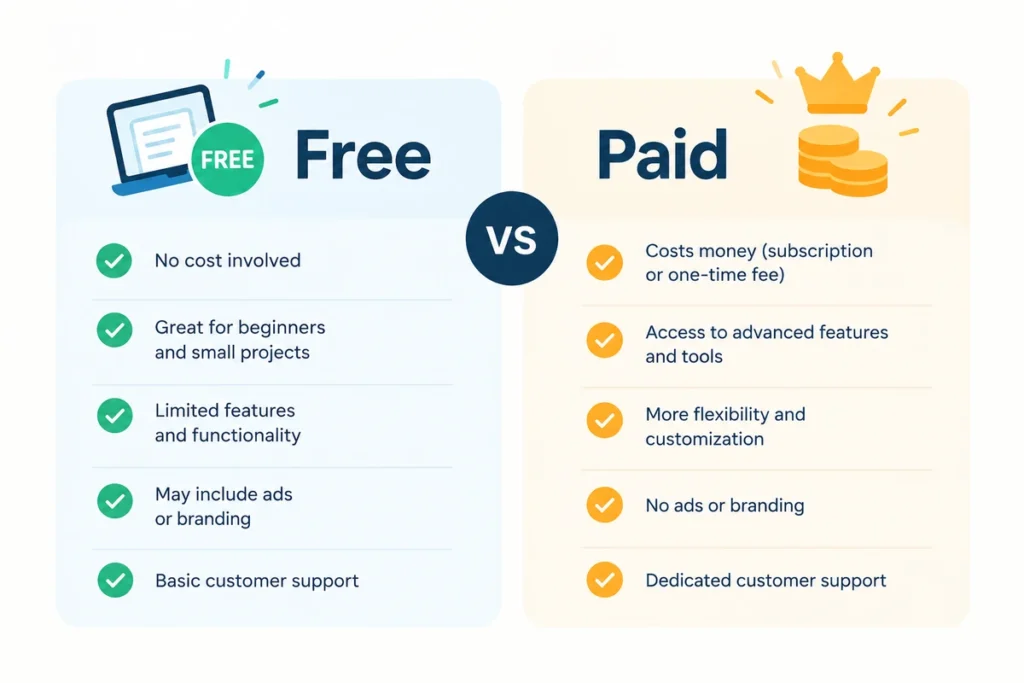
All the keyword research tools aim to answer all the questions posed above, but the major disadvantage of free keyword research tools is that they restrict the number of searches you are allowed to conduct per day and the extent of the previous data, along with information about competitors. The paid keyword research tools eliminate all the restrictions and offer additional features such as ranking history or keywords your competitors rank for.
For a beginner or even an independent digital marketing consultant, the free keyword research tools will be enough. As soon as your list of clients becomes bigger, the paid keyword research tool will pay off for itself.
The Best Free Keyword Research Tools
Google Keyword Planner
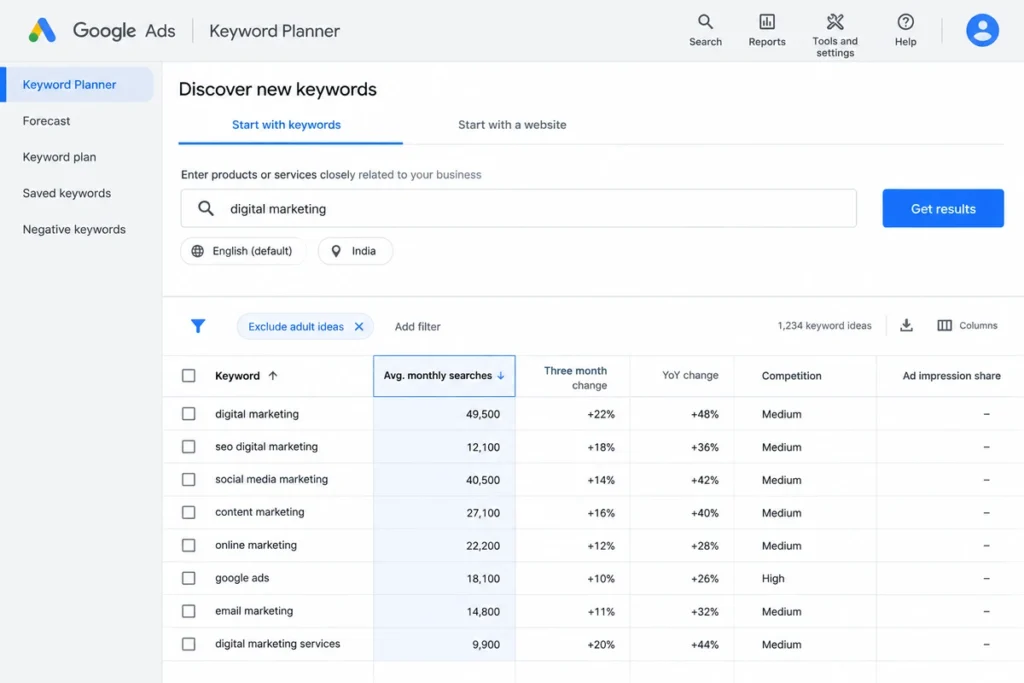
This is the keyword research tool that even Google offers for free, and here is where every newcomer should start. The tool was developed primarily for advertisers, which makes it an advertising-focused tool rather than a dedicated SEO tool. Despite being an advertising tool, it offers free keyword suggestions and search volume data after you create a Google Ads account. Just keep in mind that without a running campaign on Google, Google may provide search volume in a wide range.
Google Trends
Google Trends may not give you the exact search count, but it lets you know if there is an increase or decrease in the popularity of the keyword over time. It also gives you a regional comparison of the search popularity of the keyword. Google Trends is a useful tool for checking the popularity of a keyword before writing your entire blog post.
Ubersuggest (Free Plan)
Neil Patel’s Ubersuggest allows you to conduct three searches per day for free, with information such as search volume, difficulty, and even content ideas provided all on one page. Three searches may seem to be not many, but it is sufficient enough to do one blog post.
AnswerThePublic (Free Plan)
This tool can help you generate real questions that people ask related to the keywords through the use of phrases such as “how,” “why,” “can,” and “versus.” With the free trial version, you are limited to performing three searches per day on Google, YouTube, and other sites, making it perfect for blog topic generation.
Keywords Everywhere (Entry Plan)
This is a browser add-on and not a dashboard. This add-on stealthily provides you with the search volume numbers along with your regular Google search results. While it is not entirely free anymore, this add-on’s subscription model charges very low monthly fees per year, which makes it one of the cheapest near-free ones available.
The Best Paid Keyword Research Tools
Ahrefs
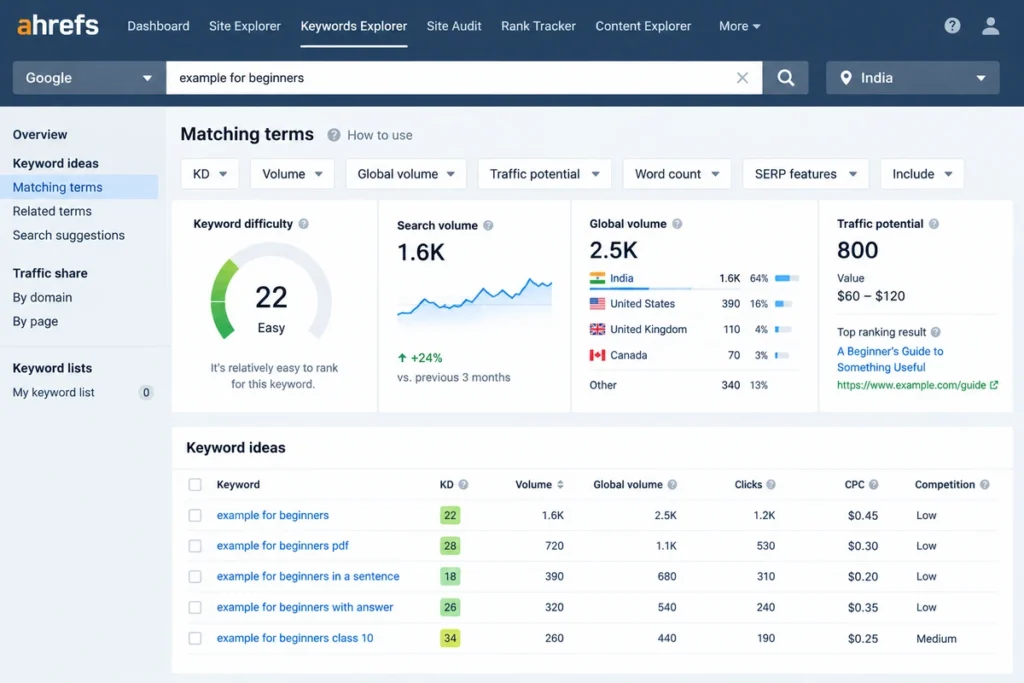
Ahrefs is considered to be one of the most reliable SEO platforms out there because of the extensive amount of keyword and competitive data that it has to offer. Its pricing package starts at an individual level, with prices going up towards the triple digits per month.
Semrush
The tool is very similar to Ahrefs, but it offers somewhat more content marketing capabilities on top of its keyword research. The beginning package is affordable for freelancers and startups, while advanced ones are meant for SEO agencies that manage multiple clients.
Moz Pro
Moz Pro is an old-school tool when it comes to SEO software; however, users who want to upgrade from a free SEO tool to a paid one usually use Moz because of its ease of use. The introductory plan costs less than Ahrefs and Semrush, even though it has a smaller keyword database than both.
Free vs Paid Keyword Research Tools: Quick Comparison
| Tool | Free? | Best For | Paid Plans Start Around |
| Google Keyword Planner | Fully free | Absolute begginers | ——- |
| Google trends | Fully free | Checking keyword trends | ——- |
| Ubbersuggest | 3 Searches/day | Beginners on a budget | ~$12/month |
| AnswerThePublic | 3 Searches/day | Blog topic ideas | ~$9/month |
| Keywords Everywhere | Limited Free | Quick in-browser checks | ~$84/year |
| Ahref | Free tools only | Agencies, competitor research | ~$29/month |
| Semrush | Limited free account | Content + SEO combined | ~$140/month |
| Moz Pro | Free trial only | Beginners moving to paid | ~$39/month |
How to Choose the Right Keyword Research Tool for You
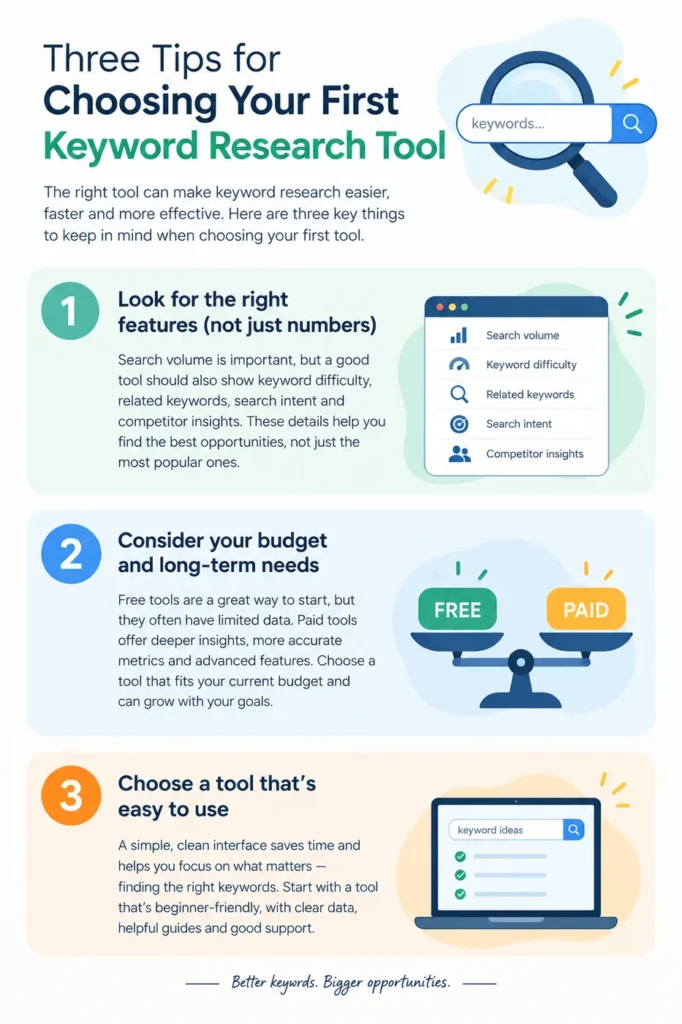
Pose yourself three questions prior to selecting a keyword research tool. First, how many blog posts or clients’ projects do you have to handle at the moment? More projects mean the need for more expensive software. Second, do you need to spy on your competitors or just look for inspiration for your blog, in which case, you will need a full-scale Ahrefs or Semrush type software? Third, can you make do with three searches a day when you plan things ahead? In that case, free keyword research tools will be sufficient.
In any case, it is advisable to use a free keyword research tool first and switch to the paid one later only when you really need to.
Common Mistakes Beginners Make With Keyword Research Tools
The reliance on any one tool to determine search volume is a common mistake, as all search volume estimation tools provide a different estimate of search volume, so it would be wise to use two tools to estimate the search volume of any keyword before making the entire post about it. The second common mistake that can be made is the hunt for high search volume keywords, as a keyword that has ten thousand searches per month would not be very helpful if there are fifty huge websites that rank for it, so you should search for the keyword that suits your ability to rank for it.
Frequently Asked Questions
Are free keyword research tools adequate for novices?
They are. Both Google Keyword Planner and Google Trends are absolutely free tools and are adequate for planning your first couple months worth of blog content.
What paid keyword research tool is best for a consultant working alone?
The starter packages from either Semrush or Ahrefs are typically the right balance, with just enough tools for a single person juggling a few clients without the need for agency-level restrictions that you won’t be using.
Is it necessary to have more than one keyword research tool?
No initially, at least. Beginners would only require one free keyword research tool and one blog post topic tool, such as AnswerThePublic.
How frequently do I need to do keyword research?
Searches change seasonally, according to trends and even locally held events. It is wise to check if the statistics of your best pages are true after a few months.
Conclusion
Just because you don’t have the fanciest keyword research tool on the market doesn’t mean you can’t create top-ranking content. All you need is the tool that suits your current needs. Use the free tools listed above first, get used to interpreting search volume and difficulty, and only upgrade to a paid keyword research tool if you really need to.
Now that you have chosen your keywords, you’re ready to create an article that ranks, which is precisely what our next chapter is all about.
If you want to know how SEO blogs are written from choosing keywords to publishing, refer to my blog.
Written by Remya Nair, a digital marketing consultant based in Thrissur, Kerala, who has completed hands-on SEO training and works with small businesses on their content and search strategy.
Pingback: 7 best SEO Fundamentals for Ranking Content in 2026