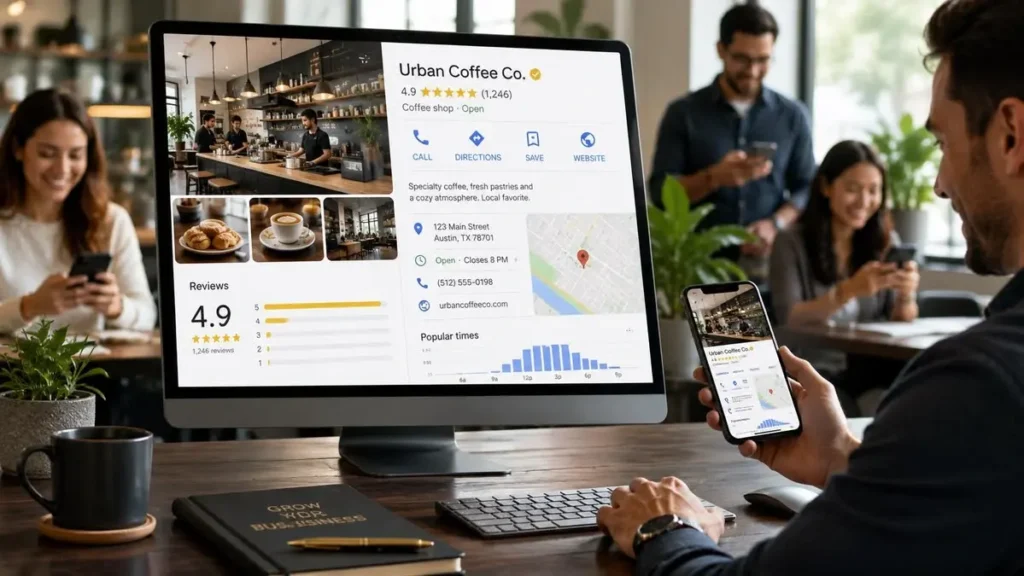
How to Increase Google Reviews: A Best Practical Guide for Local Businesses in 2026
Reviews play a vital role in a consumer’s decision-making process when they are searching for a nearby business. Before visiting a restaurant, salon, clinic, agency, shop, professional services, or any other type of business, most consumers tend to see what our customers have to say . That’s why learning how to increase Google reviews is so important component of local SEO strategy. Reviews from Google are displayed along with your Google Business Profile and help potential customers get acquainted with your business. Google recommends making it easy for people to give you a good review by providing them with a review link or QR code. The main thing is that requesting more reviews does not always mean asking all of your customers for five stars. The right way is to provide a good customer experience and politely request a review. Why Are Google Reviews Important for Local Businesses? Google reviews are valuable for potential customers because they give them a better idea of what it’s like to interact with your business. Let us imagine that a person is searching for: “Digital Marketing Consultant in Thrissur“ and receives two similar results, one with a few reviews and the other with lots of new and authentic reviews from their clients, this is something that gives people additional confidence when choosing a consultant. Google also says that reviews help companies distinguish themselves from others and give potential clients valuable information. Review responses are also highly recommended, as it allows demonstrating that your clients’ opinions are important. Some benefits of reviews are: But remember one thing: more reviews don’t equal fake reviews. 10 Effective Ways to Increase Google Reviews 1. Provide an Excellent Customer Experience Learning how to increase Google reviews is very simple – give your customers something worth writing a review about. A negative customer experience cannot be fixed simply by asking for a review. Consider every stage of the customer journey: For instance, if your business is a salon, consider the appointment process, waiting, staff communication, cleanliness, follow-up. 2. Ask for Reviews at the Right Time When learning how to increase more Google reviews, timing is key. Do not just start asking any of your customers for a Google review out of the blue after they contact you. Rather, choose the times when the customer will be the most satisfied. Here are some examples: Service-based business: Ask soon after finishing the job successfully. Restaurant: Ask after the customer finishes eating his/her meal. Digital marketing consultant: Ask soon after the success of any of your campaigns, audits, consultations, etc. Retail-based business: Ask the customer for a review after they receive the product. 3. Create a Direct Link for Google Reviews One of the easiest ways to increase more reviews from Google is to minimise the number of steps needed by your customers. Google gives you an option to generate a direct review link or QR code for your business. You can use the link in emails or other customer communication channels. Instead of telling them: “Please search for our business on Google and write a review.” Share a direct Google review link to make it easier for customers to leave feedback without having to search for your business. 4. Use a QR Code QR codes are especially helpful for physical establishments. Some places where you can put your QR code for Google Reviews include: E.g; “Enjoyed your visit? Please take a second to let us know what you think via this QR code.” Google actually recommends using QR codes and links to make the review submission process easy for customers. 5. Send a Personalized Review Request The personalized request sounds much more natural than the automated request. For instance, once you finish a task, you may ask: “Thank you for choosing us. I hope that you enjoyed the services provided. Please share your honest feedback on Google, if you have a few minutes.” Include your Google review link at the end of the message to make it easy for customers to leave feedback. The review request for local businesses in Thrissur may be integrated into WhatsApp, email, or any other customer communication channels. Focus on encouraging honest feedback instead of asking for positive reviews. 6. Make Reviews Part of Your Regular Process Don’t use reviews as a one-shot campaign. Make a simple request-for-review system. For instance: Service completed by the client → Thank you message → Review link → Follow up → Watch review This ensures that you have a system to regularly collect authentic feedbacks. It’s a far better way than requesting reviews when your review counts seem low. 7. Respond to Your Google Reviews Getting reviews is only one part of the process. It’s equally important to reply to your reviews. According to Google, it’s important to reply to reviews since it shows that you care about customer feedback. For a positive review, do not copy and paste the response. Instead of: “Thanks for the review.” You could have something like this: “Thanks for writing about your experience, Anu! Glad that you liked our services.” 8. Don’t Ignore Negative Reviews If you wonder how to increase more Google reviews, you might think about focusing solely on good reviews. However, the negative ones are also useful. They will highlight areas where you can improve. Google mentions that negative reviews do not mean bad business practices; instead, they are good indicators to get acquainted with customer expectations and improve. When replying to negative reviews: For instance: “Sorry to hear about your experience. We would like to understand the situation, please contact us.” This will demonstrate to prospective customers that you take customer feedback seriously. 9. Never Buy or Incentivize Google Reviews This is probably the most critical step in how to increase Google reviews. Do not pay for reviews. Do not solicit reviews from family members and friends who have never patronised your business. Do not give away discounts, gifts, or free items in return for reviews. Google does not allow